


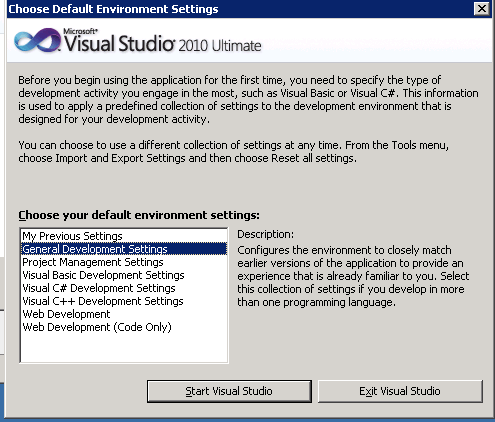
If you first start up VS 2010 you have to choose your environment settings. Once chosen, you will never get this screen back. Sometimes you choose the “wrong” one and you cannot find your stuff anymore.
How to reset this. After searching in Options etc. I could not find it. At the customer I installed a fresh copy of VS and I got the familiar screen again. On this screen are also instructions how to reset.
Go to Tools | Import and Export Settings and then choose “Reset all Settings”.
 The Road to ALM
2 responses to “Change Environment settings in VS 2010”
Thank you
thanks brother