


Category: Release Management
-

Only trigger a release when the build changed
I created a Build task for this purpose as well. Check it out here! Back in the early days, when we used XAML builds in TFS (wow that seems like ages ago!), we had the possibility to NOT execute a build when nothing changed in the source code repository. This checkbox “Build…
-

Trigger Release Pipeline only for Scheduled builds
Currently I am working on some build and release pipelines to deploy some websites automatically. I have some CI builds running, and some scheduled buils that are deployed automatically. This works fine, but there is some waste in the process. My CI build is the same as my scheduled build, with…
-

Run Functional (Coded) UI Tests in your VSTS Release Pipeline
Today I was trying to run some CodedUI test from my VSTS Release pipeline. The process is quite straightforward but there were some tiny catches I’d like to share with you Let me first show the pipeline I have created
-

Programmatically promote your package quality with Release Views in VSTS
A short while ago, Package Management in VSTS became publicly available. Agreed, the features in the initial version are not overwhelming, but the potential is very high. If you are not familiar yet, with Package Management in VSTS , I highly recommend you take a look at the documentation on…
-

Change VSTS release variables at queue time
When creating and queueing new build, a feature that I often use is the “allow change at queue time” checkbox next to the build variables Allowing me to change it at Queue time Sometimes you also want this for releases, but there is no such an option. However, you can do…
-

Copy files (and run tests) on a remote machine back to the VSTS build and release agent
This week I was working on a script, running in my VSTS release pipeline that executed Pester tests on a remote machine. Running Pester tests on the VSTS Build and Release Agent work fine with one the awesome tasks on the Visual Studio Marketplace, but this was about running the…
-
Controlling build quality using Build Tags and VSTS Release Management
On many occasions a release is a composition of many different artifacts, like product MSI’s, Shared Assemblies, Documentation etc.. I like to compare it with a big box that you use when moving. You fill it up with all sort of little boxes and other stuff and you label it.…
-
Call VSTS REST API from Release Management
Update 22/6/2016 That’s how fast things go. Since this blogpost there has been a new update on VSTS that allows you to access the OAuth token by just clicking a checkbox. In the Release Environment, click the elipsis asnd select Deployment Conditions (or Configure Variables etc.). It opens a new…
-
Configure your load test against different URL’s within your Release Pipeline
Yesterday I was preparing some demo’s for my NDC talk in June. have a simple website that deploy to Azure by using the Build and Release Pipeline functionality. I thought it would be great to run a Cloud Based Load Test as part of this pipeline and that is what…
-
Trigger a vNext release template from a build definition throws Http Error 500
Last week I was busy with some work on a vNext Release template. When my release worked I wanted to trigger that release from my build definition. Where as in the agent-based Release Management it was a matter of checking a checkbox and using a different Build Template that triggers…
-
Start with Visual Studio Release Management vNext–VS RM for Dummies
Team Foundation Server 2013 Update 3 came with Visual Studio Release Management vNext. vNext is, next to the deployments with agents, another way of doing deployments with VSRM. The most important thing in vNext is that you can do deployments to machines, without having to install an agent. This is…
-
The Road to Continuous Delivery–Part 1
Introduction Continuous Delivery. You hear and read a lot about it lately and it seems to be or become a trend. What I see in the field is that companies think about Continuous Delivery but are not completely sure what it actually means. Let alone that they can oversee the…
-
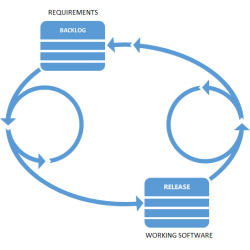
Release Management with InRelease
My dear colleague Jasper Gilhuis explains how the new component within Visual Studio called InRelease fits into the Application Lifecycle. This post explains the concepts behind the tool and a great walkthrough scenario!
 The Road to ALM